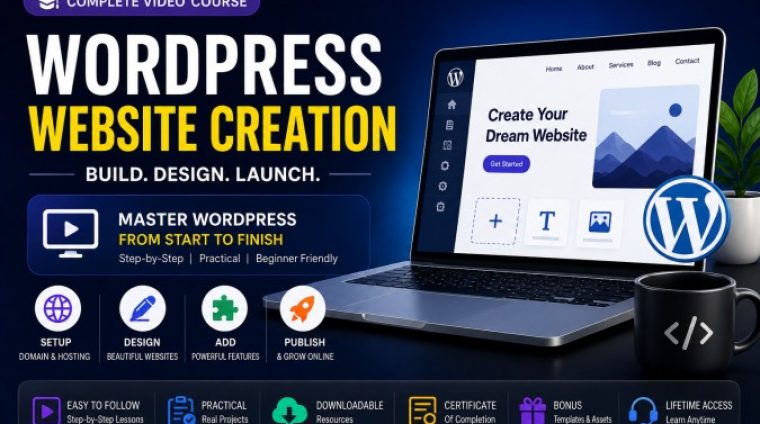
Create Your Website in Just 2 Days No Code · WordPress · AI-Powered
What you'll learn
- Build Professional WordPress Websites Without Coding
- Create Fully Responsive Mobile-Friendly Websites
- Master WordPress, Elementor & Website Customization
- Learn Domain, Hosting & WordPress Setup
- Design Homepages, Blogs, Portfolios & Contact Pages
- Use AI Tools, Canva & Professional Design Resources
- Add Website Animations & Interactive Sections
- Build Skills for Freelancing, Students & Small Businesses
From Beginner to Professional Website Creator
This course is designed for complete beginners who want to learn WordPress website creation step by step in Hindi.
By the end of this course, you will be able to:
- Create professional websites for businesses
- Build personal portfolio websites
- Design blogs and landing pages
- Create websites for freelance clients
- Launch your own brand online
- Customize WordPress websites professionally
Without writing a single line of code.
Complete WordPress Website Creation Training
8 Detailed Website Building Modules
Structured learning from beginner to advanced website creation concepts.
50+ Step-by-Step Practical Lessons
Easy-to-follow Hindi video lessons with practical implementation.
15+ Professional Tools & Platforms
Learn industry tools used by freelancers and agencies.
20+ Free Resources & Design Websites
Access useful platforms for graphics, icons, stock images, and website assets.
Real Website Design Practice
Build actual website sections while learning.
Beginner Friendly Learning Experience
No technical or coding background required.
Downloadable Resources & Templates
Get bonus tools, templates, and learning resources.
Lifetime Access & Future Updates
Learn anytime at your own pace.
Tools You Will Learn in This Course
- WordPress
- Elementor
- Canva
- Adobe Express
- ChatGPT
- Pattern Monster
- FlatIcon
- Hostinger
- GoDaddy
- WordPress Plugins
- Freepik
- Pexels
- Unsplash
- SVG Resources
Learn the most popular website design and WordPress tools used by website developers, freelancers, agencies, content creators, and business owners.
Who Is This WordPress Course For?
Students
Learn a valuable digital skill and build your own website portfolio.
Freelancers
Offer WordPress website creation services and start earning online.
Small Business Owners
Create your business website without hiring expensive developers.
Bloggers & Content Creators
Build your personal brand and online presence professionally.
Coaches & Trainers
Create landing pages and professional websites for your audience.
Beginners
Start learning website development without coding experience.
WordPress Website Course Modules
Module 1 — Website Planning & WordPress Setup
Learn hosting, domains, WordPress installation, and basic settings.
Module 2 — WordPress Themes, Plugins & Website Design
Understand themes, plugins, typography, layouts, and Elementor basics.
Module 3 — Elementor Website Design Mastery
Learn Flexbox containers, responsive layouts, and homepage design.
Module 4 — Graphics, Banners & Website Visuals
Create professional graphics using Canva, AI tools, and free resources.
Module 5 — Homepage Design & Website Animations
Build sliders, features sections, FAQs, and animations.
Module 6 — Header, Footer & Navigation Design
Create professional responsive website menus and navigation.
Module 7 — About Us & Contact Page Design
Build business pages, forms, FAQs, and team sections.
Module 8 — Blogs, Portfolio & Website Launch
Create blogs, portfolio pages, and launch your complete website.
Why Choose This WordPress Website Creation Course
- Simple Hindi Explanations
- Beginner Friendly Training
- Practical Learning Approach
- No Coding Required
- Real Website Building Projects
- Modern Website Design Techniques
- Affordable Learning for Everyone
- Learn Industry Tools & Platforms
Frequently Asked Questions
Is this WordPress course beginner friendly?
Yes, this course is specially designed for beginners.
Do I need coding knowledge?
No coding knowledge is required.
Is the course available in Hindi?
Yes, the lessons are explained in simple Hindi.
Will I get lifetime access?
Yes, you will get lifetime access to the course.
Can I create websites for clients after this course?
Yes, you will learn practical website creation skills.
Which software or tools are required?
Mostly free tools and platforms are used.
Is this course useful for freelancers and students?
Yes, it is perfect for freelancers, students, creators, and business owners.
Start Your WordPress Website Creation Journey Today
Learn how to build professional WordPress websites step by step and create stunning websites without coding using modern tools and practical training.
- 11 Sections
- 60 Lessons
- 60 Minutes
- Day 1 — Build the Foundation of Your WebsiteSet up hosting, install WordPress, master Elementor basics, and design a modern professional homepage from scratch.0
- Module 1 — Website Planning & SetupLearn domain, hosting, WordPress setup, and essential website settings to launch your website professionally.7
- Module 2 — WordPress Themes, Plugins & Design FoundationsSet up themes, plugins, typography, and layout settings to create a modern professional website foundation.5
- Module 3 — Elementor Website Design MasteryMaster Elementor containers, sections, Flexbox, and responsive layouts without writing any code.6
- Module 4 — Website Graphics, Banners & Visual DesignLearn how to create stunning website banners, visuals, icons, and graphics using free tools and AI.9
- 5.1Using Feather Icons for SVG Icons
- 5.2Finding Tints & Shades for Brand Colors
- 5.3Using FlatIcon for Custom Icons
- 5.4Using ChatGPT for 3D Vector Graphics
- 5.5Downloading Free 3D Vector Cartoons
- 5.6Creating Hero Backgrounds in Canva
- 5.7Editing Images Using Adobe Express
- 5.8Downloading Free Professional Stock Images
- 5.9Creating Custom Patterns with Pattern Monster
- Day 2 — Transform Your Website Into a Professional BrandCreate responsive pages, animations, blogs, portfolios, and launch a fully optimized professional website.0
- Module 5 — Homepage Design & Animation EffectsBuild modern homepage sections with sliders, animations, icons, and interactive website elements.7
- Module 6 — Professional Header & Footer DesignCreate responsive navigation menus, custom headers, and professional website footers for all devices.7
- Module 7 — About Us & Contact Page DesignDesign professional business pages including About Us, Contact Us, team sections, and FAQ accordions.8
- Module 8 — Blog, Portfolio & Final Website LaunchLearn how to create blog pages, portfolio sections, and finalize your complete website professionally.6
- Bonus Module — Free Tools & Resources for Website CreatorsAccess free tools, design resources, stock websites, and AI tools to speed up website creation.5